How-To: See List of Tokens
This guide shows where to find every User Access Token in your account, what each column of the list tells you, and how to list and filter tokens with the Python SDK.
Before you start
The Tokens page lists every token in your account, assigned or not, with the model it gives access to.
A token with no Model permission is unassigned. It can't be used for queries until you assign it to a model.
The list shows a token's details, never its value. The value is shown only once, when the token is created.
What the list shows
| Column | What it means |
|---|---|
| Token name | The name given when the token was created. Names are unique in your account. |
| Created date | When the token was created. |
| Expiration date | The date when the token expires, if a specific expiration date was defined. If no expiration date was set, this field is empty. Separately, every valid token must be renewed every 30 days as a system requirement (see Token expiration). |
| Evaluation Key | Shows whether an evaluation key has been uploaded for the token. This field is populated automatically when the evaluation key is created in the query client and uploaded to the system. It is impossible to run queries without an evaluation key created first (see Upload Evaluation Key). |
| Model permission | The model the token gives access to. - means the token is unassigned. |
| Status | Active tokens can be used for queries. Suspended and Canceled tokens can't. |
See your tokens
- Console
- Python SDK
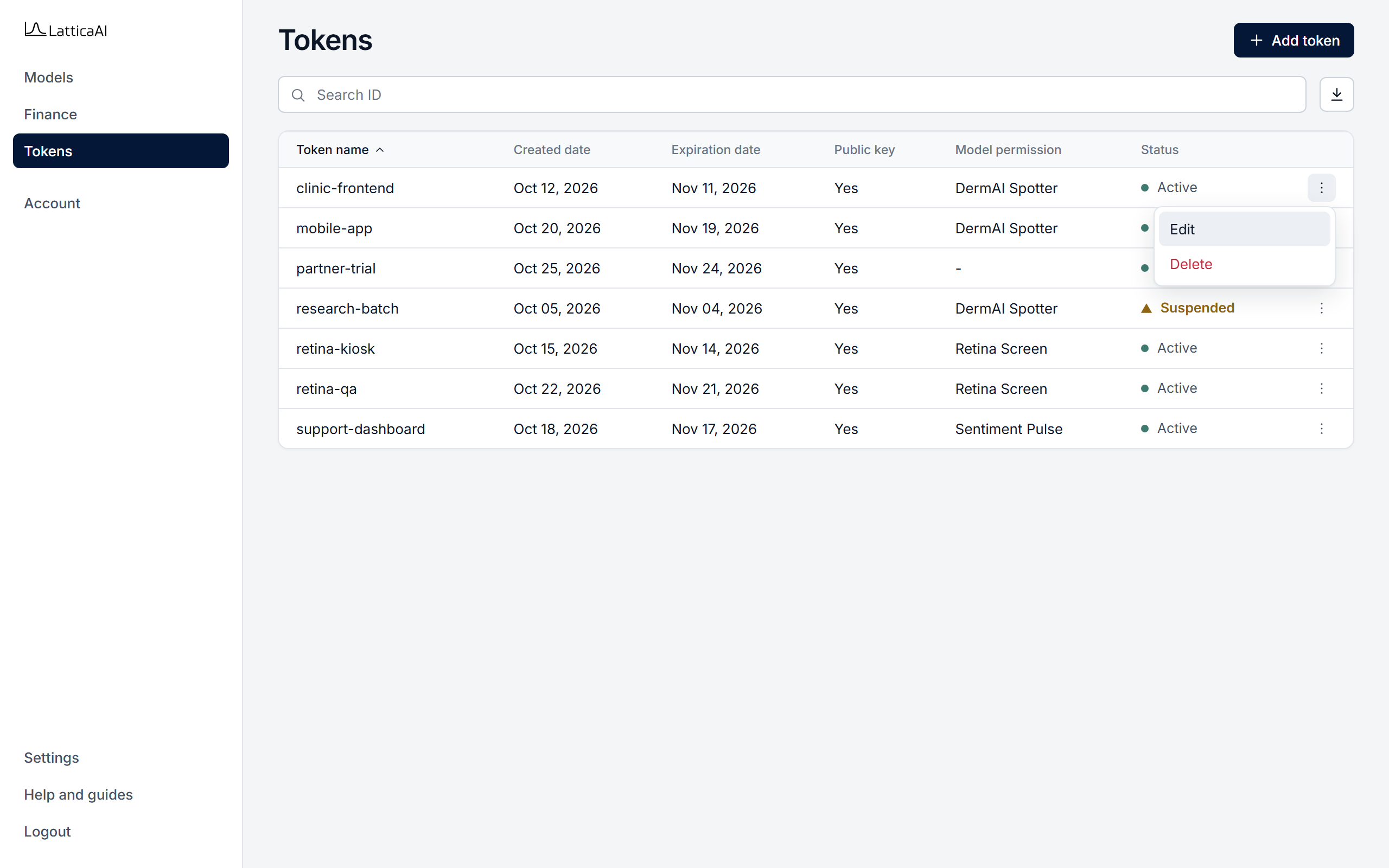
In the Console, select Tokens in the left menu. The page lists every token in your account.
List tokens with studio.tokens.list and print them as a table with studio.tokens.display. The filters are optional. Without them, every token in the account is returned.
import os

from lattica_studio import LatticaStudio

studio = LatticaStudio(os.environ["LATTICA_LICENSE_KEY"])

# Every token in the account.
studio.tokens.display(studio.tokens.list())

# Only the active tokens of one model.
model = studio.models.get_by_name("DermAI Spotter")
active = studio.tokens.list(status="ACTIVE", model_id=model.id)
studio.tokens.display(active)

# Tokens that already have an evaluation key.
with_key = [t for t in active if t.evaluation_key_created_at]
print(f"{len(with_key)} of {len(active)} active tokens have an evaluation key")
Unassigned tokens have no model_id, so they are returned only when you don't filter by model.