How-To: Update Account Information and Generate License
This guide shows how to update your account's contact details and how to generate the License that Lattica Studio uses to sign in. Details can also be updated with the Python SDK; a License is generated only in the Console.
Before you start
Your License is your account credential for Lattica Studio. Set it as LATTICA_LICENSE_KEY; see Installation & Setup.
A License is valid for 30 days. When it expires, generate a new one here and update LATTICA_LICENSE_KEY.
Copy the License before you close the dialog. Treat it like a password: anyone who has it can use your account.
Update details and generate a License
- Console
- Python SDK
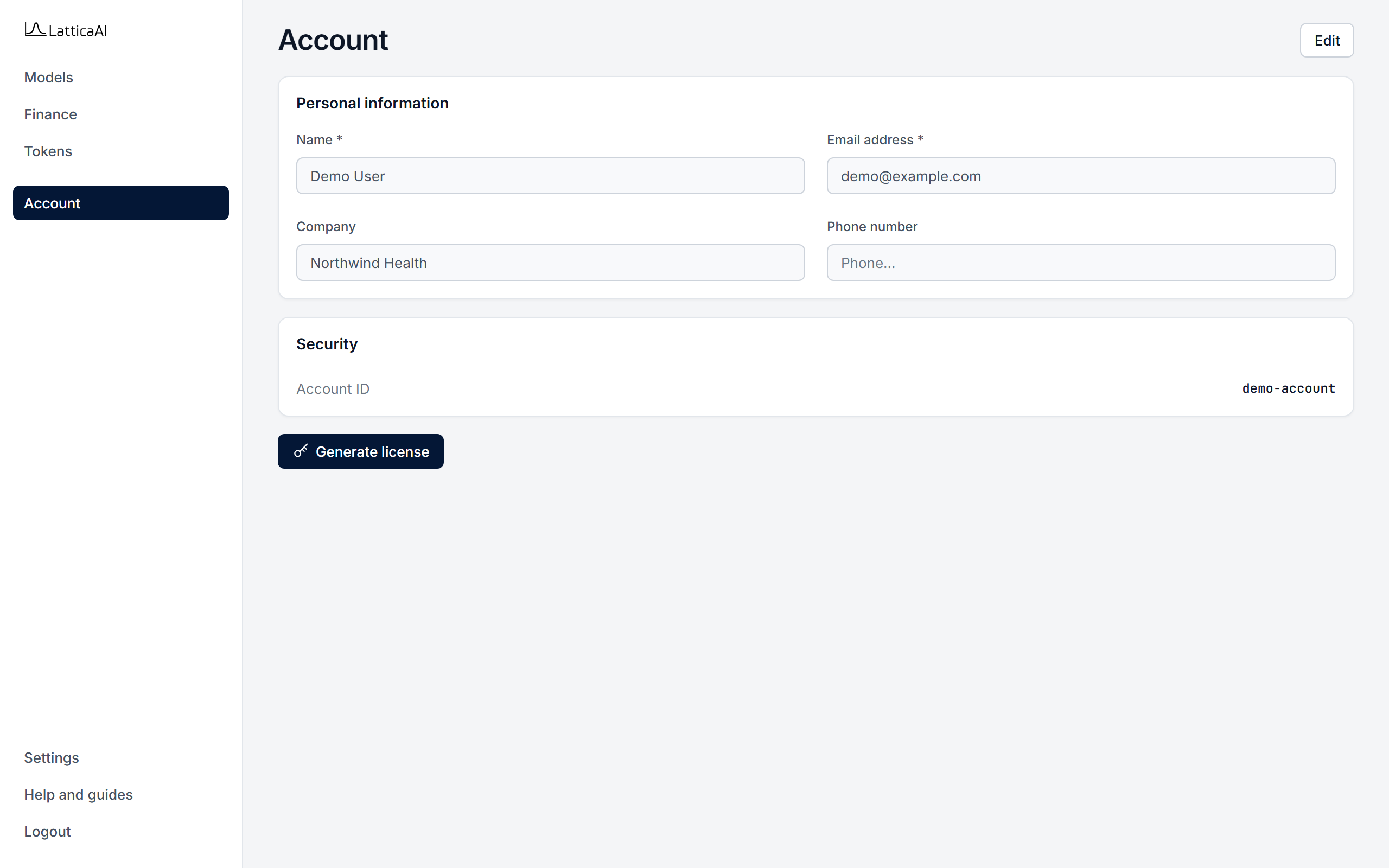
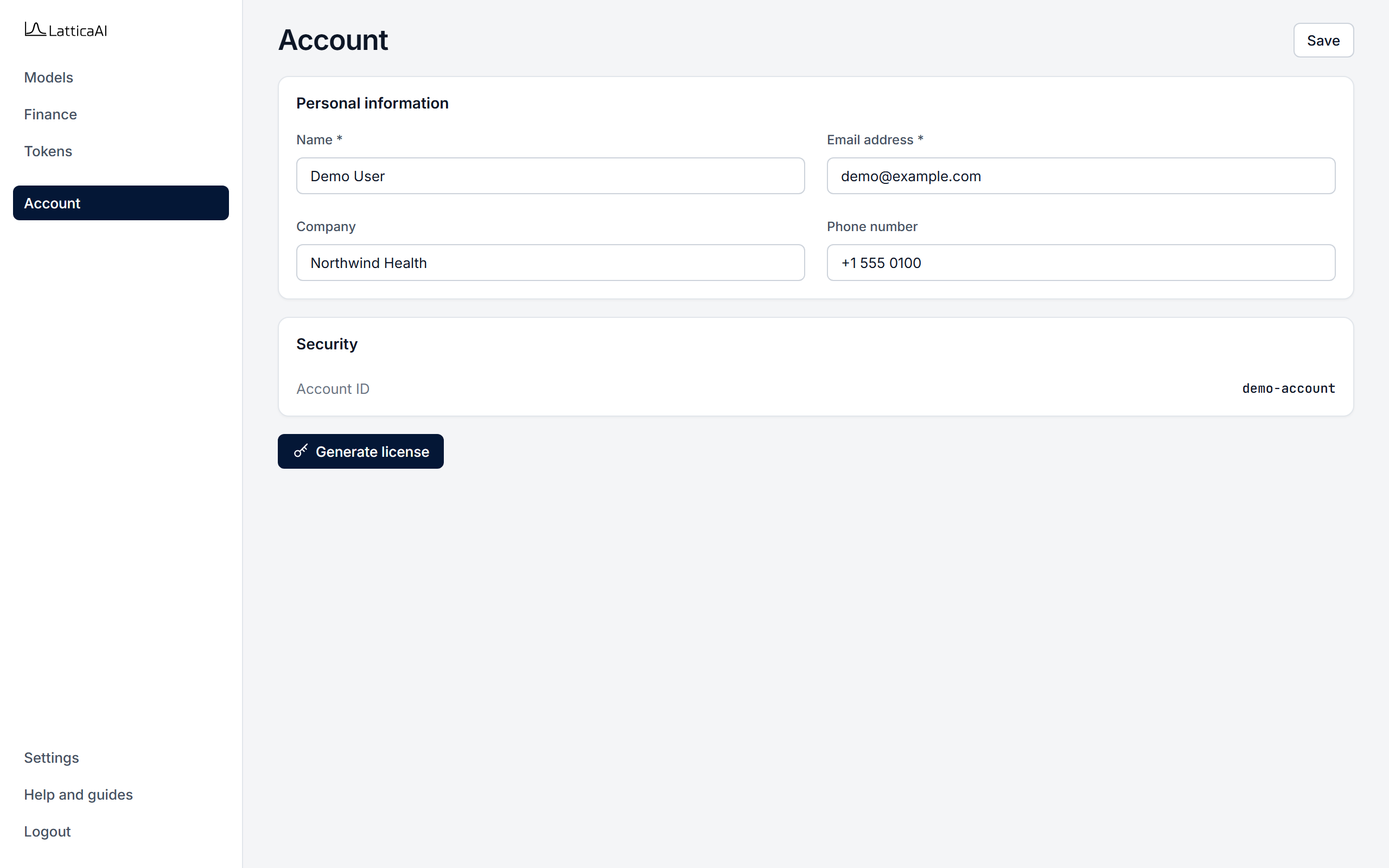
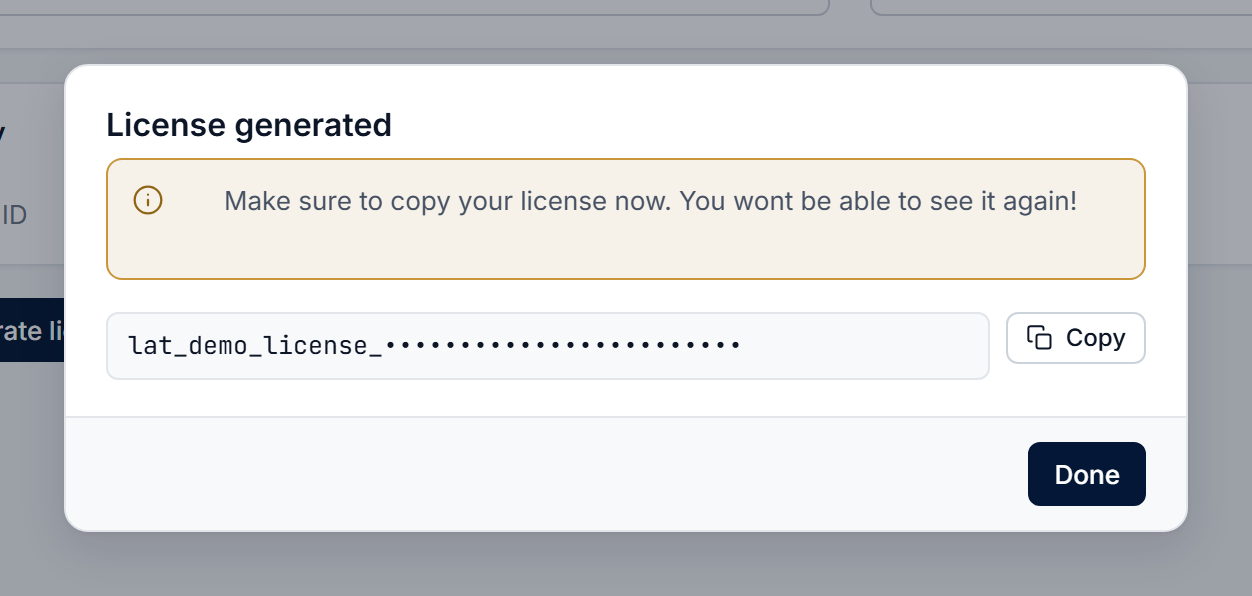
In the Console, select Account in the left menu.
The License is shown only in this dialog. Keep it secret, and generate a new one when it expires after 30 days.
Read your account with studio.account.get and change its details with studio.account.update. Only the fields you pass change. A License can be generated only in the Console.
import os

from lattica_studio import LatticaStudio

studio = LatticaStudio(os.environ["LATTICA_LICENSE_KEY"])

account = studio.account.get()
print(account["accountId"], account["contactName"], account["email"])

message = studio.account.update(
    company_name="Northwind Health",
    phone_number="+1 555 0100",
)
print(message)
The SDK signs in with the License, so a new License has to be generated in the Console first. Then update LATTICA_LICENSE_KEY and run your code again.