How-To: View Credit Balance and Add Credit
This guide shows where to see your credit balance, how to buy more credits in the Lattica Console, and how to read the balance with the Python SDK.
Before you start
Credits are used while a worker is running, for as long as it runs. You need credits to start one. If your credits run out, the worker is stopped automatically. You can start a worker again as soon as you add credit.
Credits are bought in the Console, through a secure Stripe checkout. The SDK can read the balance but can't add credits.
Check and add credit
- Console
- Python SDK
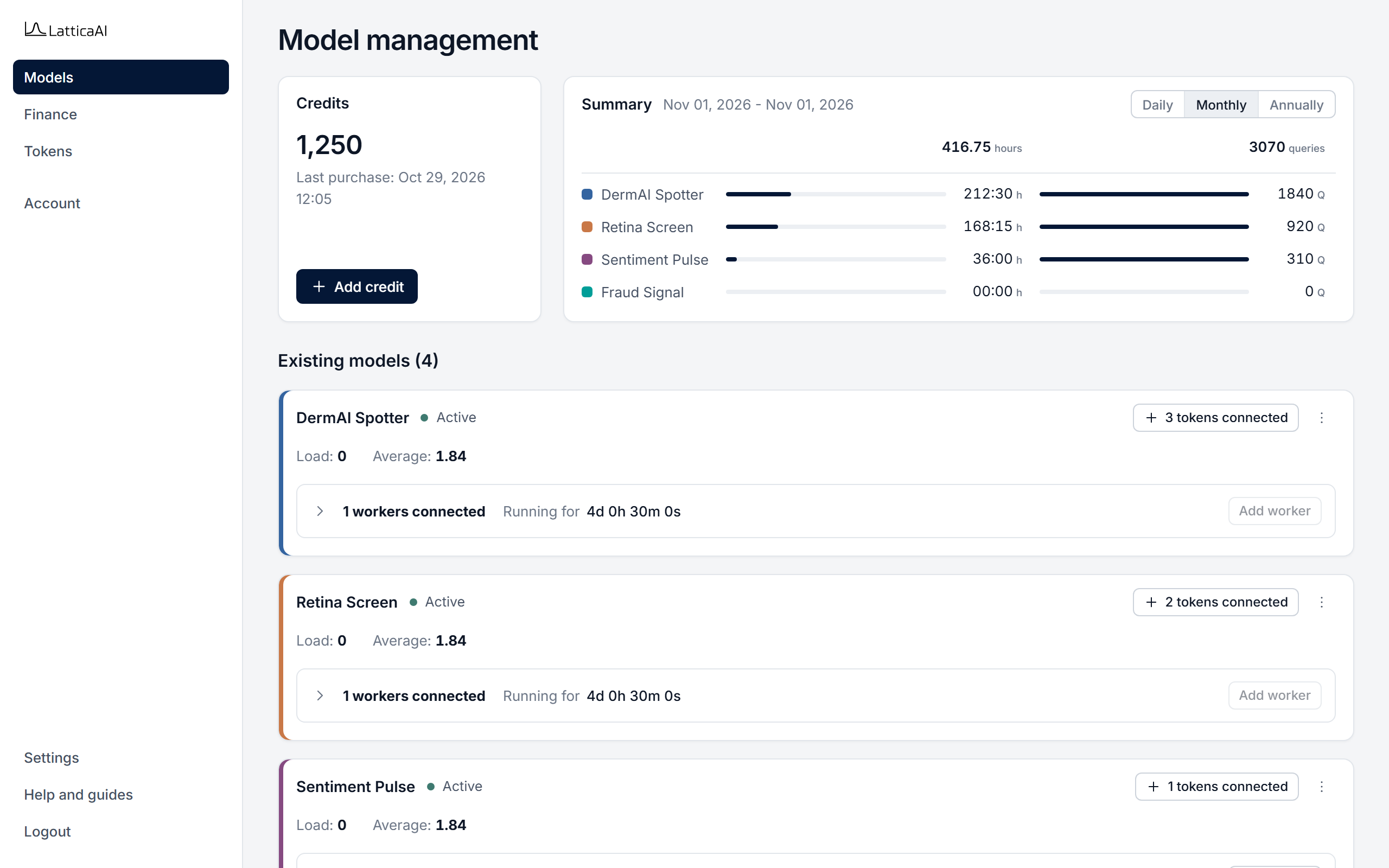
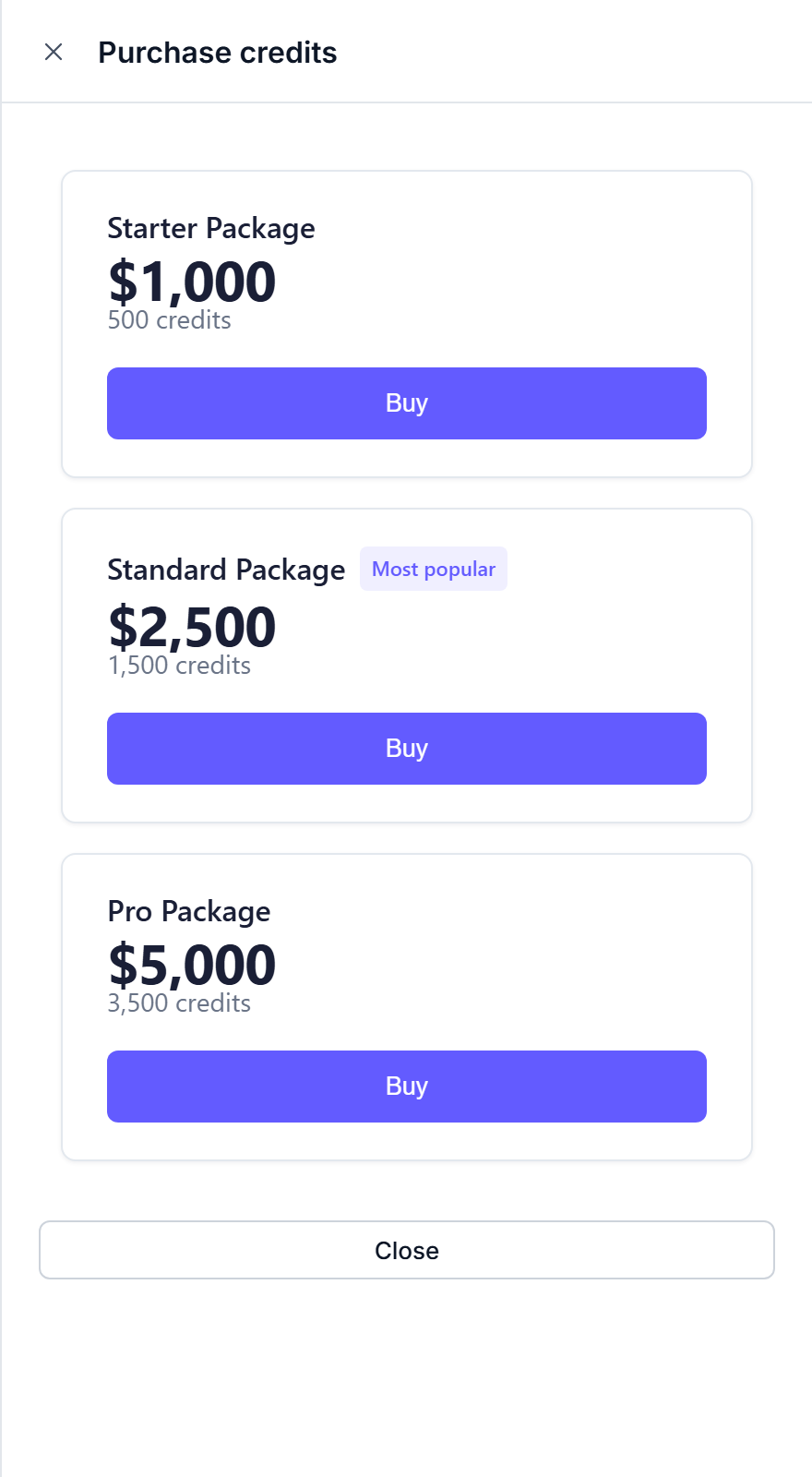
In the Console, select Models or Finance in the left menu. Both pages show the Credits card.
After you pay, Stripe returns you to the Console, which shows Verifying payment... while it confirms the purchase. When the message Payment successful! appears, the credits are in your balance.
If the Console shows Purchase confirmation failed, your payment is logged and the credits will be applied shortly. If they don't appear within 30 minutes, contact support with the Transaction ID shown in the message.
Read your balance from studio.account.get. Credits can be added only in the Console.
import os

from lattica_studio import LatticaStudio

studio = LatticaStudio(os.environ["LATTICA_LICENSE_KEY"])

credits = float(studio.account.get()["credits"] or 0)
print(f"Credit balance: {credits:,.0f}")

if credits < 100:
    print("Balance is low: add credit in the Console (Models or Finance > Add credit).")
Check the balance before starting a long-running worker. See Monitor Usage to compare those hours with the queries that ran.